For iPhone and iPad
Chores kids want to finish.
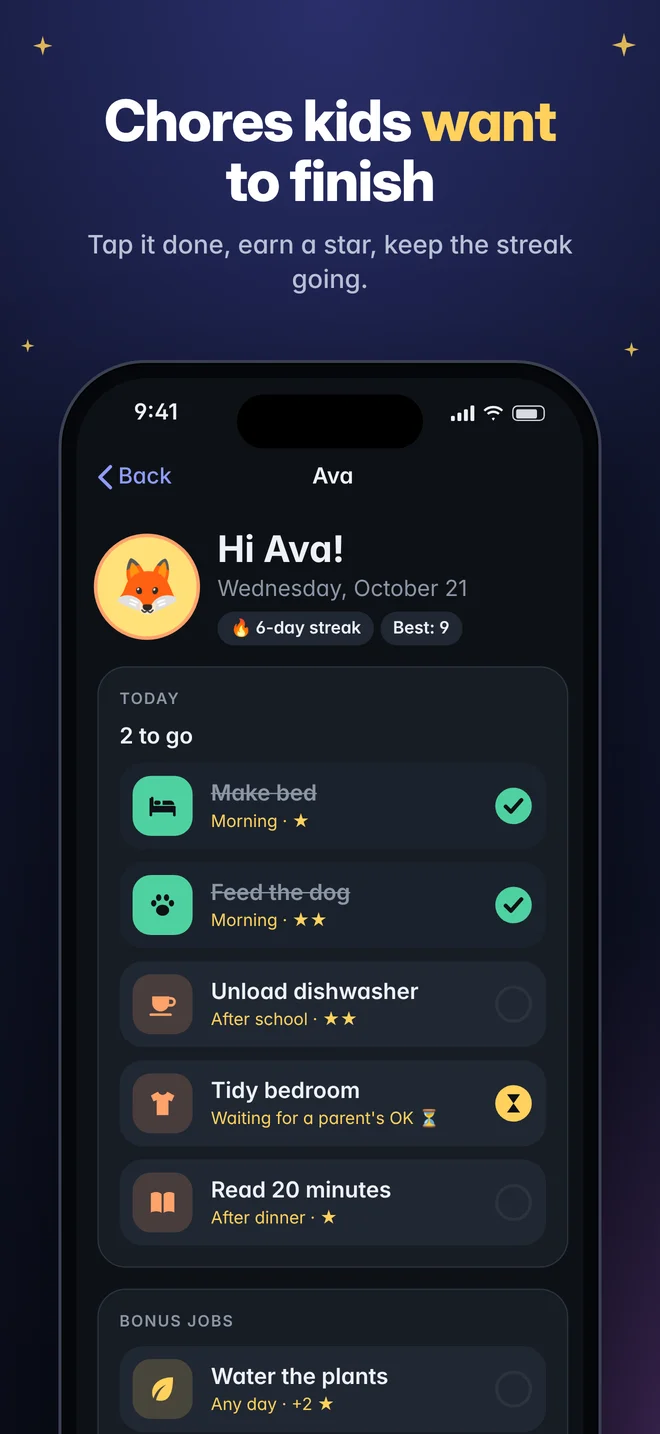
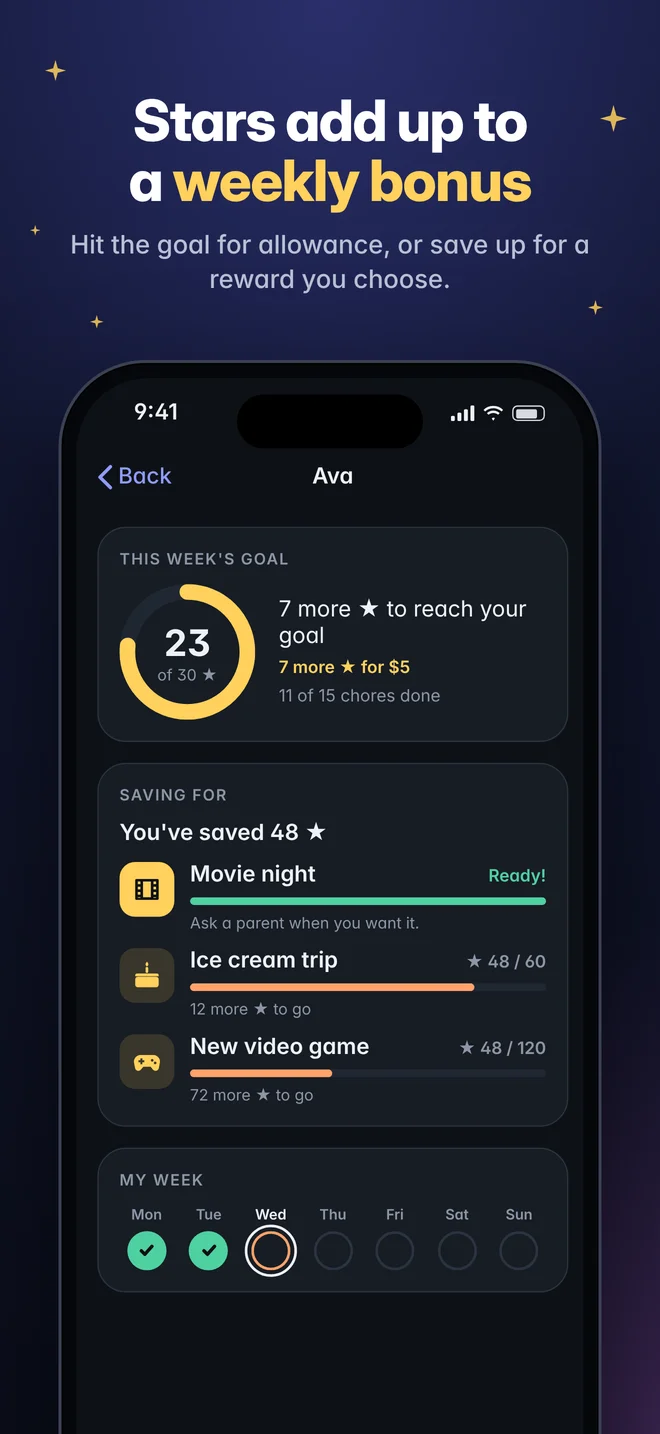
StarChores is a chore chart for the whole family. Kids tick off chores, earn stars and chase a weekly goal. You set it up once, and every iPhone and iPad in the house stays in sync.
No ads · No accounts to create · Works offline
Built for kids. Run by parents.
Kids get a screen that feels like a game. You get the rules, the approvals and the allowance math, behind your own PIN.
For kids
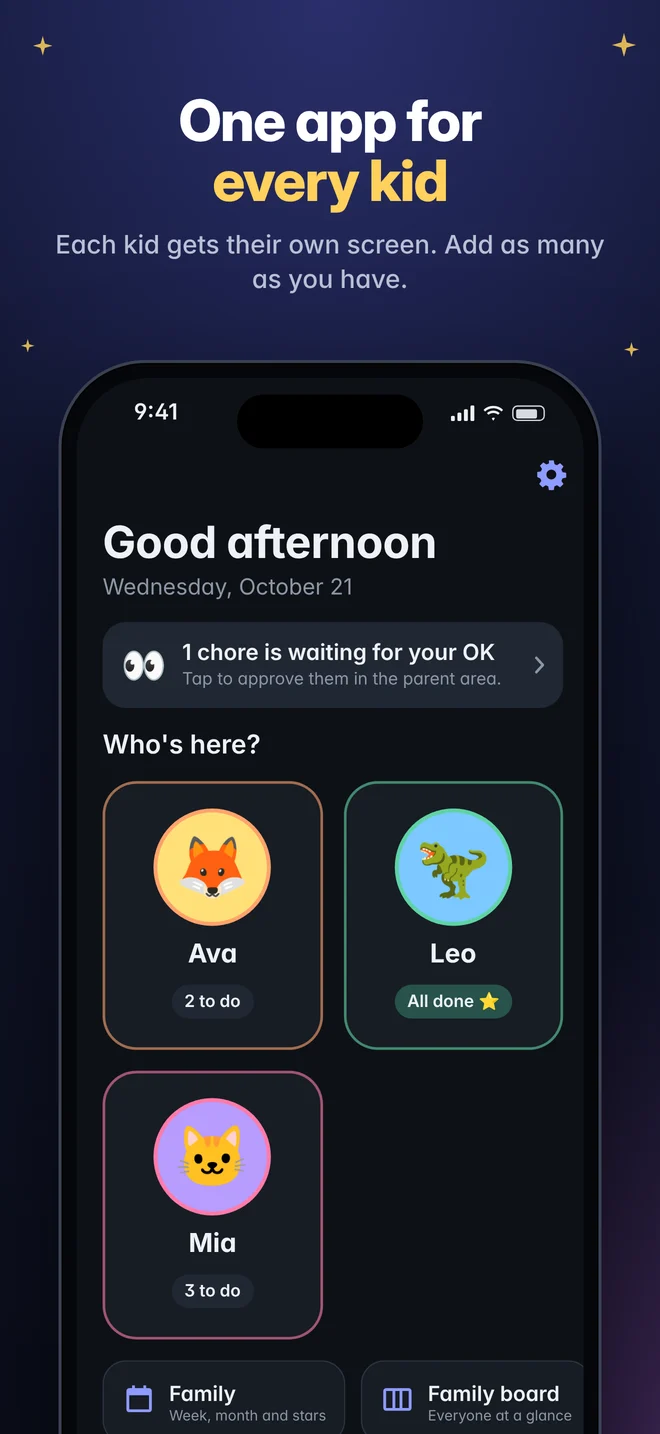
- Their own screen, with a photo, an emoji or their initial
- Today's chores, sorted into morning, after school and after dinner
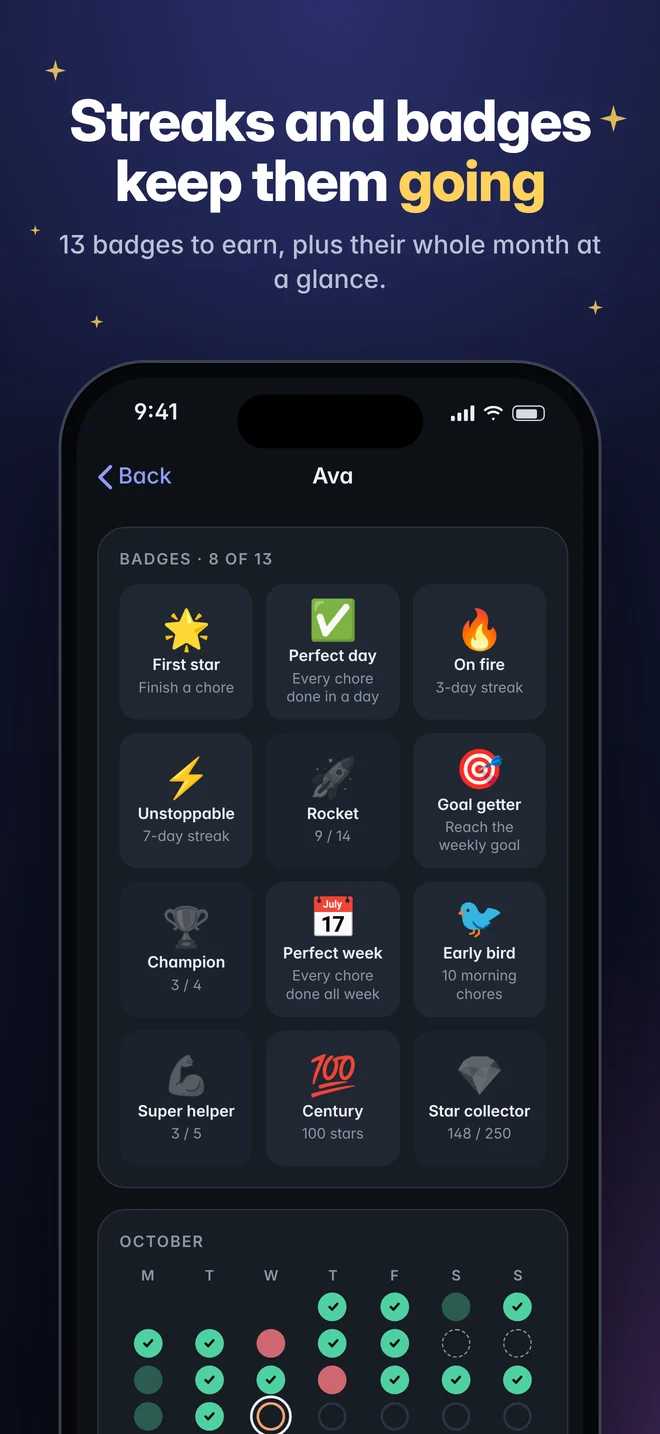
- Stars for every chore and a weekly goal ring that fills as they go
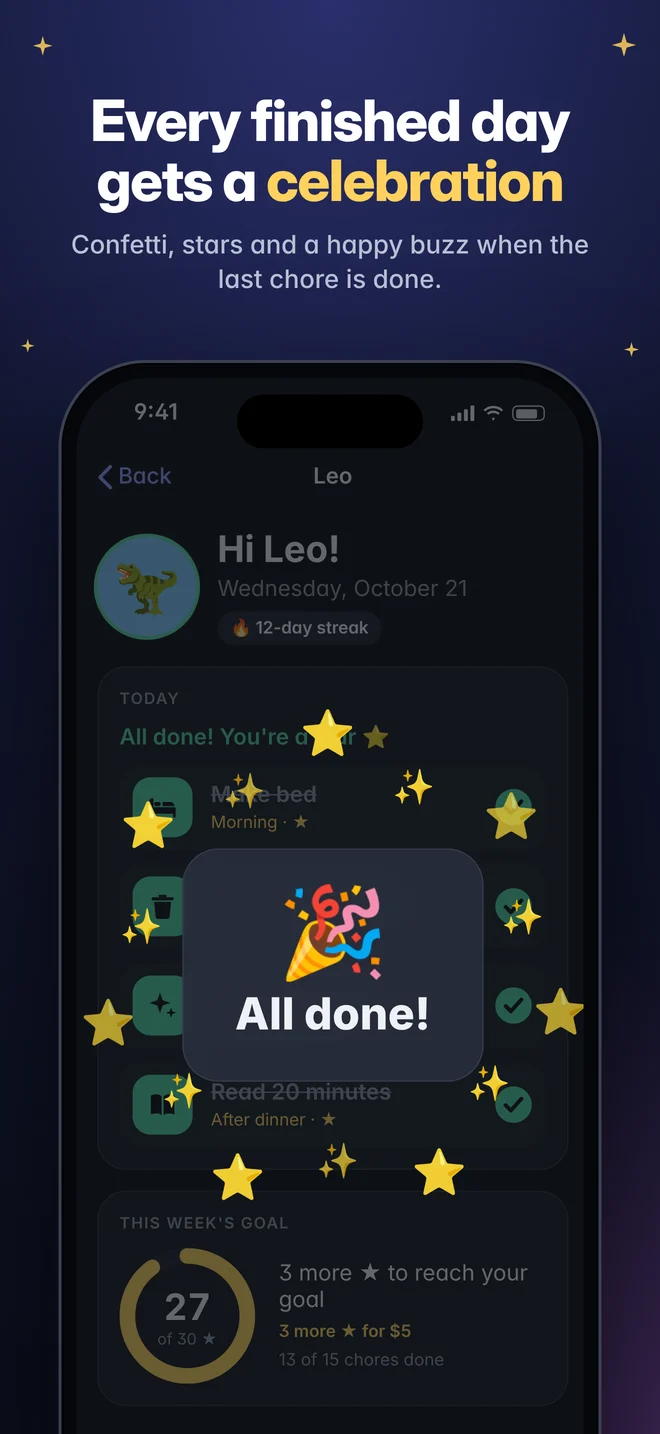
- Streaks, badges and a celebration when the day is done
- Bonus jobs for extra stars, and catch-up for missed ones
- Save stars toward rewards you choose
- Their own PIN, which they can change themselves
For parents
- A parent area behind your own PIN, with Face ID, Touch ID or passcode recovery if you forget it
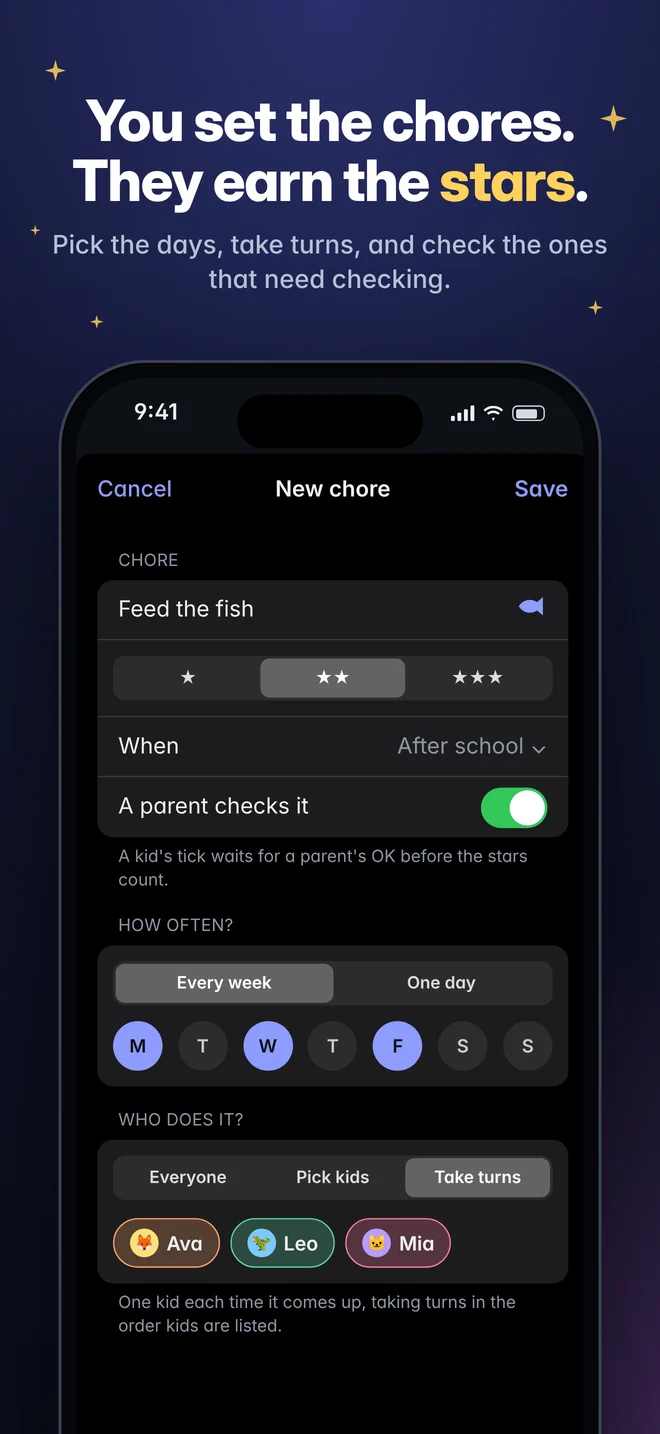
- Weekly or one-off chores, for everyone, certain kids, or taking turns
- Chores that wait for your OK, with an instant alert when one is ticked
- A weekly allowance bonus at the star goal, with paid tracking
- Days off that shrink the goal to match
- Edits never rewrite past weeks, so history stays fair
- Help built in: email us with your app details already filled in
For the whole family
- Week, month and stars views for everyone
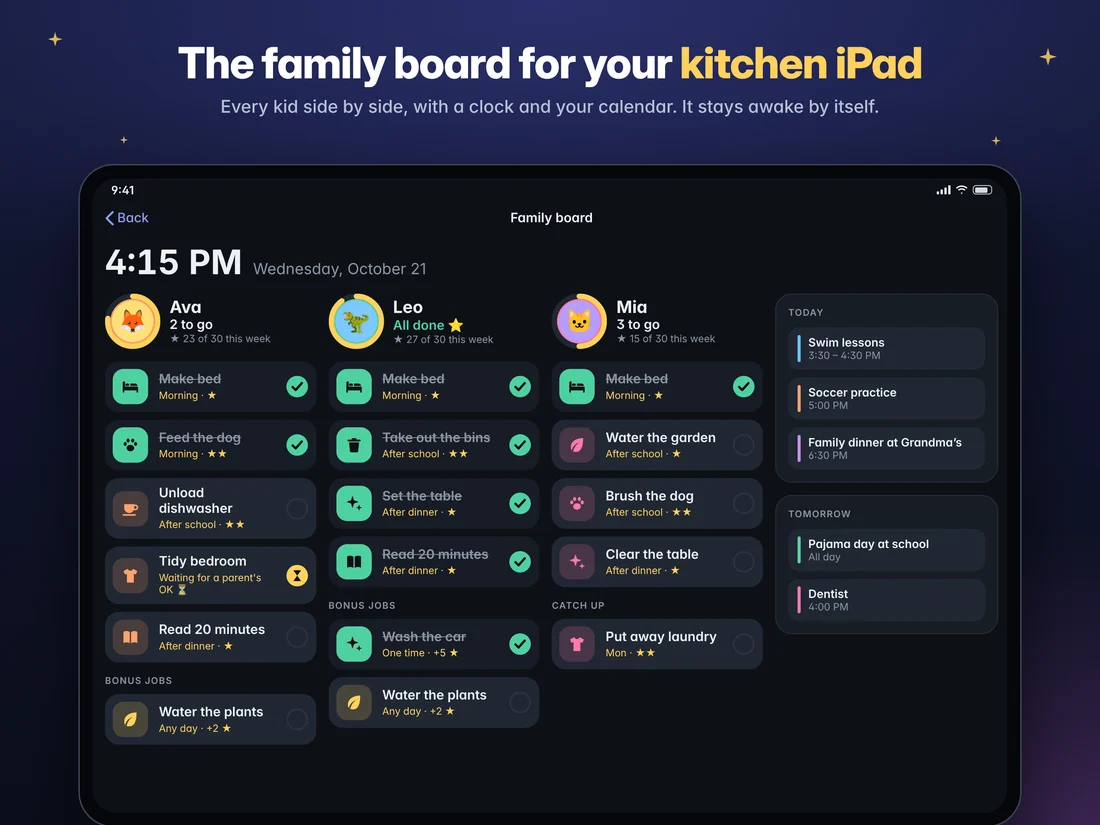
- A family board for an iPad on the counter
- Your calendar's events next to the chores
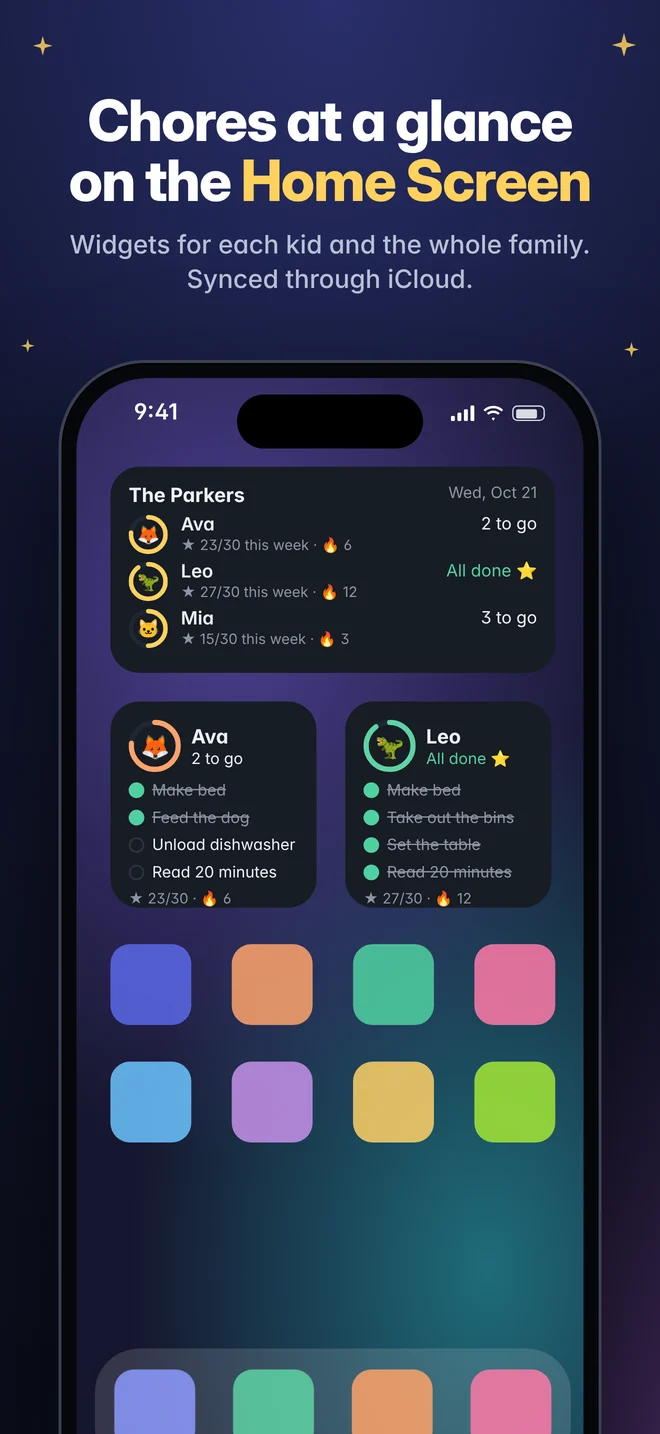
- Home Screen and Lock Screen widgets
- Gentle reminders when chores are left
- Invite the other parent and the kids' Apple accounts; new devices find your family on their own
Take a look
The family board for your kitchen iPad
Every kid side by side, with a big clock and today's events from your calendar. Kids tick chores right on the board, and it keeps the screen awake by itself.
In the works
What we're building next, and ideas we're exploring. These are plans, not promises, and your feedback helps decide the order.
-
“All done” alertsA notification when a kid finishes everything for the day.
-
Photo proofFor chores you check, kids snap a photo and you approve it from anywhere. Photos never go into the camera roll and are deleted once you've reviewed them.
-
Chore timerPut a time on a chore, like 10 minutes for tidying, with a countdown on the Lock Screen.
-
Picture passwordsKids unlock with a sequence of pictures instead of a PIN.
-
Face ID for parentsOpen the parent area with Face ID or Touch ID on your own device.
-
Bring back deleted choresA Recently Deleted list that restores a chore with its history.
-
Quick tipsShort tips the first time you use a feature, so nothing gets missed.
-
Spanish, and your local currencyStarting with Spanish, and money shown in your own currency.
-
Tick chores from widgetsMark a chore done right from the Home Screen.
-
Larger text and VoiceOverA full pass so everyone in the family can use it comfortably.
-
An Apple Watch app for kidsToday's chores on the wrist. A big maybe for now.
Your family's data stays yours
StarChores works offline. Chores and stars sync between your devices through your own iCloud account, never through our servers, because there aren't any. No ads, no tracking, no accounts to create. Back everything up to a file in the Files app whenever you like.
Let the stars do the nagging.
Set your family up in a few minutes.
Coming soon to the App Store